
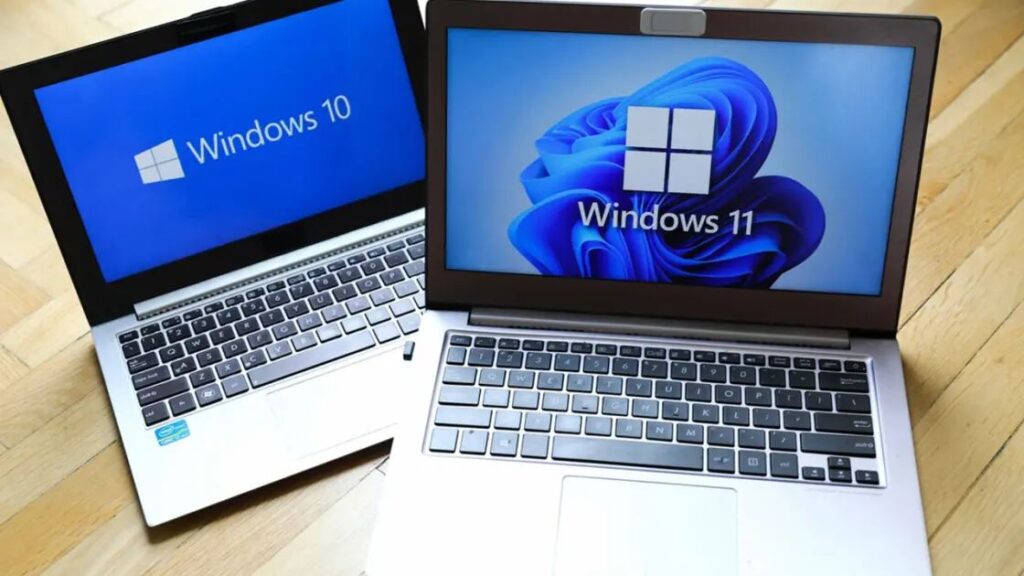
In 2026, buying a laptop is no longer just about checking the RAM and processor. We have officially entered the era of “Perceptual Computing,” where your laptop isn’t just a tool, but an intelligent partner. With the introduction of advanced Neural Processing Units (NPUs), Tandem OLED displays, and revolutionary battery tech, the landscape has changed more in the last two years than it did in the previous decade.
Whether you are a Computer Science student at Qurtaba University, a professional software engineer, or a crypto trader, this 1500-word comprehensive guide will help you navigate the complex market of 2026.
1. Understanding the “AI PC” Revolution (NPU vs. CPU)
In 2026, the traditional CPU-centric model is dead. The most important spec on your spec sheet is now TOPS (Trillion Operations Per Second).
What is an NPU?
The Neural Processing Unit (NPU) is a dedicated chip for AI tasks. In 2026, the Intel Core Ultra Series 3 (Panther Lake) and Qualcomm Snapdragon X2 Elite are leading the market with NPUs that deliver over 80 TOPS.
Why do you need it?
-
On-Device AI: Instead of sending your data to the cloud (which is a privacy risk), AI features like real-time translation, background noise removal, and “Agentic Coding” assistants run locally on your NPU.
-
Battery Efficiency: By offloading AI tasks from the CPU to the NPU, your laptop can save up to 40% more battery during video calls or coding sessions.
2. Display Technologies: The Battle of Pixels
In 2026, we are seeing a major shift in screen technology. If you are staring at code or charts for 10 hours a day, the display is your most critical interface.
A. Tandem OLED (The New Standard)
Introduced in premium models like the MacBook Pro and ASUS Zenbook S14, Tandem OLED uses two layers of organic LEDs.
-
The Result: It is 2x brighter than traditional OLED and has a much longer lifespan, effectively solving the “Burn-in” problem of the past.
B. 120Hz Refresh Rate is Now Mandatory
In 2026, even budget laptops like the MacBook Neo have moved away from 60Hz. A 120Hz refresh rate makes scrolling through long lines of code or trading charts feel buttery smooth, significantly reducing eye strain.
3. Core Hardware Requirements for 2026
RAM: Why 16GB is the New 8GB
As a CS graduate, you know that modern environments (Docker, VS Code, Local LLMs) are memory-hungry.
-
16GB (LPDDR5X): The bare minimum for students and basic office work.
-
32GB+: Recommended for AI development, Virtual Machines (VMs), and heavy multitasking.
Storage: NVMe Gen 5
HDDs are ancient history, and even Gen 3 SSDs are considered slow. 2026 laptops use NVMe Gen 5 SSDs that reach speeds of 12,000 MB/s. For a trader or developer, this means your apps open instantly.
4. Categorized Recommendations: Which User Are You?
A. The Computer Science Student (The “Scholar” Setup)
-
Top Choice: Apple MacBook Air (M5) or Dell XPS 14.
-
Key Specs: 16GB RAM, 512GB SSD, Long Battery Life.
-
Pro Tip: Look for a laptop with a great keyboard. Since you’ll be typing thousands of lines of code, “Key Travel” (at least 1.5mm) matters more than a thin chassis.
B. The Content Creator & AI Developer (The “Powerhouse”)
-
Top Choice: ASUS ROG Zephyrus G16 or MacBook Pro 14 (M5 Max).
-
Key Specs: 32GB+ RAM, NVIDIA RTX 50-series (Blackwell) GPU.
-
Reasoning: Training local AI models or rendering 4K video requires the “Tensor Cores” found in dedicated GPUs.
C. The Budget Conscious (The “Value” Pick)
-
Top Choice: MacBook Neo or HP OmniBook Ultra (Budget Config).
-
What to expect: Great build quality and display, but limited to 8GB-16GB RAM. Perfect for web browsing, blogging, and light automation.
5. Connectivity and Ports: Don’t Get Dongle-Dazed
In 2026, we have finally moved to USB-C 4.0 and Thunderbolt 5 as the universal standard.
-
Thunderbolt 5: Supports up to 120Gbps bandwidth. This allows you to connect three 4K monitors through a single cable—perfect for a pro trading desk or a triple-monitor coding setup.
-
Wi-Fi 7: Ensure your laptop supports Wi-Fi 7 for ultra-low latency, which is crucial for cloud gaming and remote server management.
6. Battery and Thermal Management
Heat is the silent killer of laptops. In 2026, we are seeing two major improvements:
-
Solid-State Batteries: These new batteries are safer, thinner, and can provide up to 25 hours of actual usage.
-
Vapor Chamber Cooling: Traditional copper pipes are being replaced by vapor chambers even in thin laptops like the Surface Pro, ensuring that the laptop doesn’t “throttle” (slow down) during heavy tasks.
7. Software and OS: The 2026 Ecosystem
Windows 11/12 (The AI Native)
Windows now features “Recall” and local AI search. For a tech user, Windows remains the most versatile OS for automation scripts and web scraping.
macOS (The Efficiency King)
Apple Silicon (M5) continues to lead in “Performance per Watt.” If you want to work for 15 hours without a charger, Mac is still the king.
Linux (The Developer’s Choice)
In 2026, Linux compatibility is better than ever. Most laptops now support “Dual Boot” with zero driver issues, making it the preferred choice for cybersecurity professionals.
8. Final Verdict: The 2026 Buying Checklist
Before you swipe your card for that new laptop at laptoptechinfo.com, run through this checklist:
-
NPU Check: Does it have at least 40 TOPS for future-proofing?
-
RAM Check: Is it 16GB or more? (Do not buy 8GB in 2026).
-
Display Check: Is it OLED or at least a 400-nit IPS panel?
-
Keyboard Check: Does the keyboard feel comfortable for long typing sessions?
Summary Table: Top Laptops of 2026
| Category | Model | Best Feature |
| Best Overall | Apple MacBook Air (M5) | Perfect balance of power/battery. |
| Best Windows | Dell XPS 14 (Aura Edition) | Stunning design & great speakers. |
| Best Budget | MacBook Neo | Most affordable premium build ever. |
| Best Gaming/AI | ASUS ROG Zephyrus G16 | RTX 50-series power in a thin body. |
| Best Business | Lenovo ThinkPad X1 Carbon | Iconic durability & best keyboard. |